
…
Skip to content
+90 212 366 57 26app@icitech.com.trOn iOS & Android · KVKK aligned · 24/7 support
|Request a Demo
Clocktice
  • Features
  • Solutions
  • Why Clocktice
  • FAQ
  • Resources
  • About
  • Contact
Request a Demo

Loading…

KVKK and GDPR alignedSSL-secured data transferAvailable on iOS and Android24/7 support teamIndustry-specific demos
Clocktice

Clocktice is a mobile-ready platform that unifies workforce management and time tracking in one place.

Download on the App StoreGet it on Google Play

Follow Us

Product

  • Features
  • Check-in / Check-out
  • Shift Schedule
  • Leave Management
  • Break Management
  • Project & Branch Management
  • Reporting & Timesheets
  • Other Features

Solutions

  • Manufacturing
  • Retail
  • Healthcare
  • Logistics & Transport
  • Construction & Field
  • Technology & Office
  • All Solutions

Company

  • About Us
  • Why Clocktice
  • Vision & Mission
  • Sustainability
  • Careers
  • Contact

Resources & Support

  • Blog
  • Help Center
  • Integrations
  • FAQ

Contact Details

+90 212 366 57 26

app@icitech.com.tr

Monday – Friday, 09:00 – 18:00

Get to know Clocktice

Request an industry-specific demo from our experts. We’re here for setup and integration questions.

Request a DemoExplore Features

Industry-specific demo · Setup support · Expert team

Help Center →FAQ →

© 2026 Clocktice. All rights reserved.

Privacy PolicyTerms of ServiceSubscription TermsData DeletionKVKKCookie Policy

Clocktice is built by iCiTech.

  1. Home
  2. /Features
  3. /Shift Schedule Table

Feature · Time & field

Shift Schedule Table

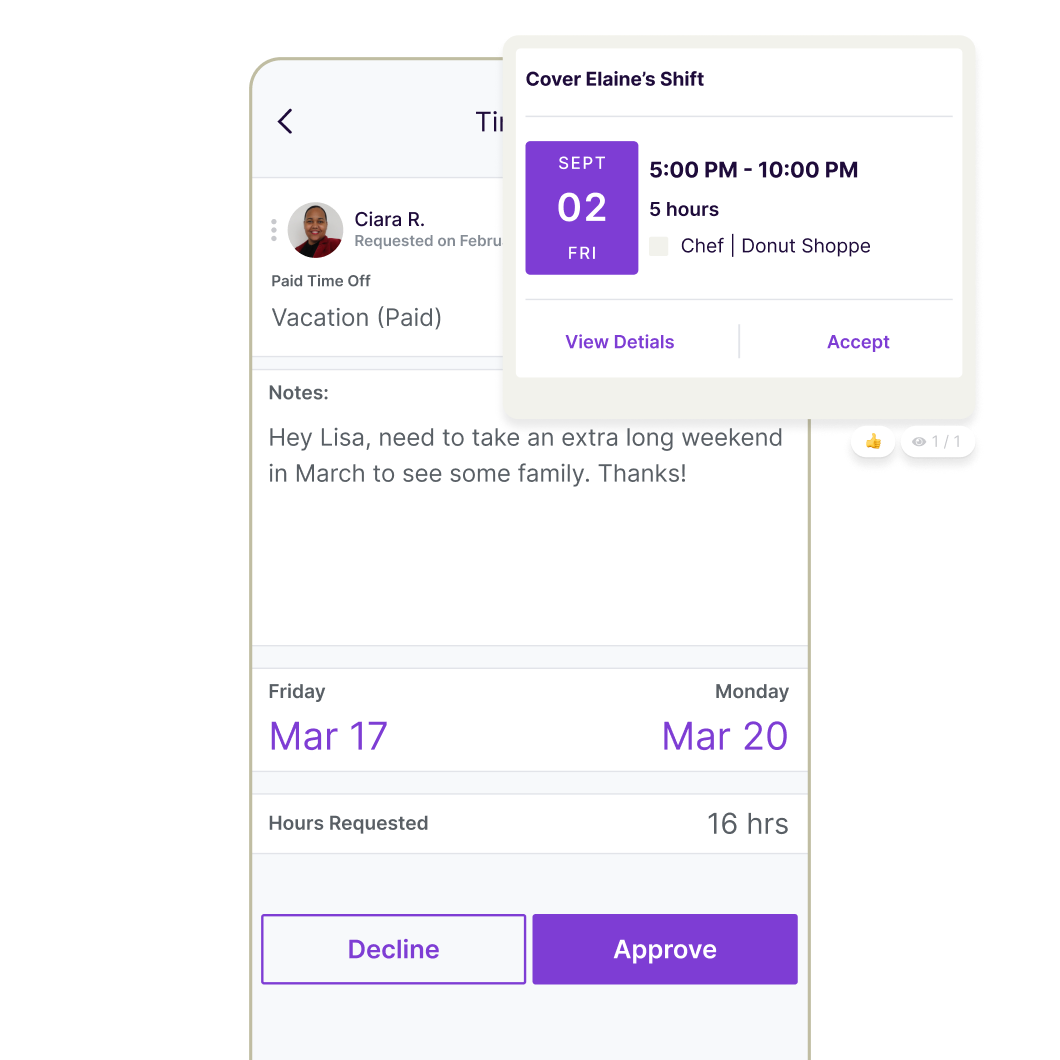
Plan weekly shifts, holidays, and leave in one dynamic table; update the roster in minutes with bulk edits.
Request a DemoAll Features
Shift Schedule Table

About this module

When the shift plan lives in Excel, conflicts, last-minute changes, and broken communication are inevitable. Clocktice’s table makes the plan the single source of truth.

The weekly view shows hours, holidays, and leave together. Staff see their current plan in the mobile app; when a manager changes something, chaos drops.

Bulk edits apply team or branch updates in one go. Templates and recurring shifts mean you don’t rebuild every Monday from scratch.

It works with check-in and timesheet data for plan-vs-actual. Overtime and heavy on-call loads show up early — fewer cost surprises.

What does it provide?

  • Weekly planning from one screen
  • Integrated holiday and leave view
  • Bulk updates and templates
  • Fast reflection of changes to staff
  • Fits multi-shift and on-call operations
  • Ready data for plan–actual analysis

How it works

Fit the module into your operations in three steps — setup takes hours, not days.

  1. 01

    Create templates

    Save recurring shifts; build the weekly skeleton once.

  2. 02

    Place leave and holidays

    See conflicts in the table; assign backups early.

  3. 03

    Share and monitor

    Publish the plan; announce changes via notice or notification.

Who is it ideal for?

  • Manufacturing and factory shifts
  • Healthcare on-call rotas
  • Retail peak-hour planning
  • Contact centers and 24/7 operations

Other modules

  • Check-in / Check-out Tracking

    Record attendance in seconds with mobile time tracking that needs no extra hardware — location-verified punches land instantly in the admin panel.

  • Break Management

    Log break start and end instantly from the mobile app; catch irregular patterns with daily reports.

  • Leave Management

    Manage annual, unpaid, and sick leave from the panel; auto-calculate remaining balances and notify by SMS.

Explore this module in your business

Plan a demo with our experts — we’re here for setup and integration questions.

Request a DemoAll Features